

The Claas parts catalog 11/2026 Upd v958 features step-by-step service procedures, repair illustrations, detailed wiring diagrams, and manufacturer specifications and are easy to follow.
200$
[11/2026]

| |
| Type of catalogue: | Diagnostic Software |
| Make: | Kubota |
| Region: | WorldWide |
| Inclusive languages: |
English, Chinese, French, German, Italian, Japanese, Korean, Spanish |
| Amount of disks: |
136 MB |
| OS: | Windows 8/8.1 32 bit, Windows 8/8.1 64 bit, Windows 10 32 bit, Windows 10 64 bit, Windows 11 64 bit, Windows 11 Pro 64 bit |
| Price, USD: | 199 |
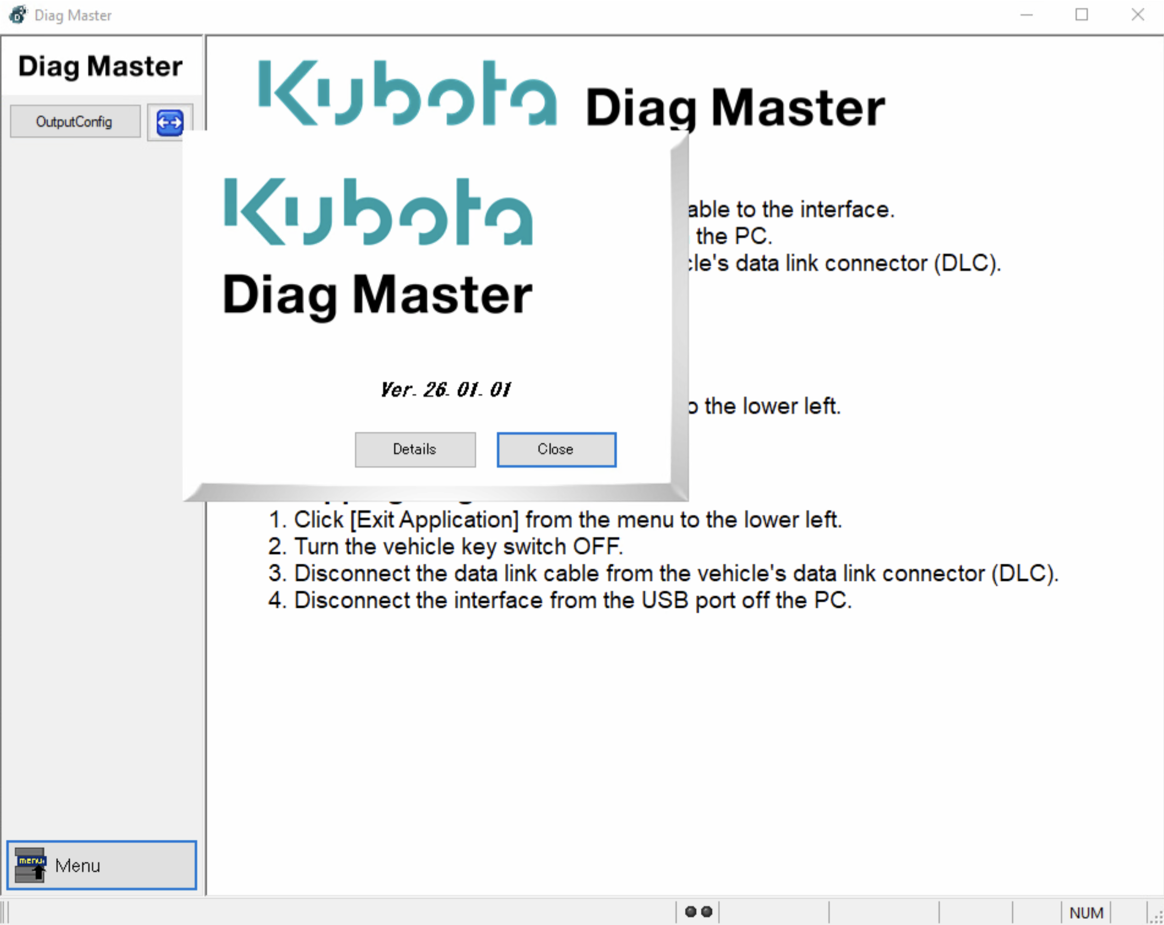
Kubota Diag Master 26.01.01 [2026] is Windows-based diagnostic software for electronically controlled Kubota diesel engines. It connects a service computer to the engine control unit (ECU) through a compatible diagnostic interface. Technicians can read fault codes, examine engine operating data and run the service functions available for the connected engine. On supported configurations, the software also provides access to the aftertreatment control unit (ACU).
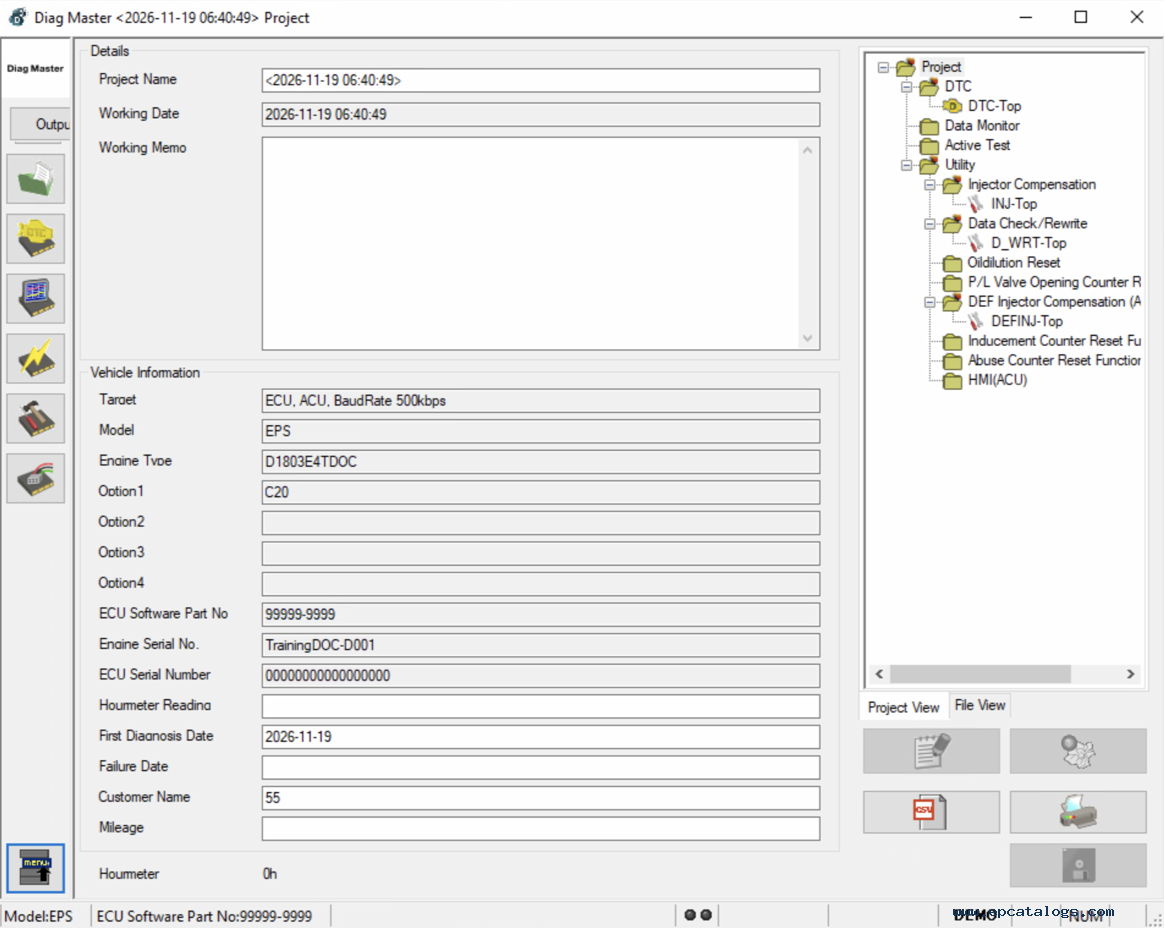
Diag Master displays information received from the ECU. A diagnostic session can be saved as a project, keeping fault records and recorded measurements available for later review. This is useful when a fault returns or when readings need to be compared before and after a repair.
Data monitoring can also be used during supported active tests, allowing the technician to observe how the engine responds to a test command.
Diag Master can run supported active tests to check the response of injectors and other ECU-controlled components. The ACU controls the exhaust aftertreatment system, and its illustrated Active Test menu lists the following functions:
The test screen includes Notes, Instruction and Attention panels for the selected procedure. Follow the instructions and precautions displayed for that test; the available functions depend on the connected system.
Diag Master provides engine service utilities such as injector compensation registration and injection quantity correction. Injector compensation registration is used when replacement diesel fuel injectors require their correction data to be written to the ECU.
The illustrated Utility menu also lists these functions:
DEF Injector Compensation is an aftertreatment service function, distinct from registration of diesel fuel injector correction data. The available utilities depend on the engine, ECU or ACU, installed database and software access. Check the instructions displayed for the selected procedure before making changes.
Diag Master uses separate databases containing information for specific manufacturers and product ranges. The installed database determines which equipment the software can identify and diagnose.
The License Information screens shown for this installation mark the following entries as available: Kubota Engine, Tobroco, Bobcat, Liebherr, Doosan, Takeuchi and Toyota.
These are license entries, not a complete model coverage list. A manufacturer's name in the license window does not establish support for every machine or every electronic system from that manufacturer.
A Kubota engine fitted to another manufacturer's machine still requires the appropriate database and software access. Confirm coverage using the machine model, engine identification and installed database; the Kubota name alone does not establish compatibility with a particular software package.
The diagnostic screenshots are displayed in DEMO mode. They illustrate the interface and example service menus, rather than a verified connection to a specific machine.
Diagnosis requires a Windows computer, a compatible interface such as the Kubota DST-i, and the correct data link cable for the machine. The corresponding interface driver must be installed on the computer.
The illustrated System Selection window offers ECU, ACU and combined ECU/ACU targets, each shown with a baud rate of 500 kbps. Select the configuration appropriate to the connected machine; these options do not imply compatibility with every ECU or ACU.
The Diag Master application, the required database and valid software access must be in place before starting a diagnostic session. Check the supplied package for its Windows requirements, database contents and activation terms before installation.
Our company provides for sale original spare part catalogs, workshop manuals, diagnostic software for all models of engines, cars, trucks, buses, forklifts, tractors, harvesters, cranes, buldozers, generators, construction and agricultural machines, motorcycles. To purchase a catalog online, please add the product to your cart, fill in the contact form online. Our managers proceed your order the same day.
Kubota Engines spare parts catalog
Kubota Engines is a catalog of original spare parts that consists of a comprehensive directory containing full technical information about parts and accessories, parts book, parts manuals, intended for engines of Kubota.
150$
[01/2011]
|

Kubota Engines Repair
Repair Manual Engine Kubota dealer documentation is a directory, which contains guidance on repair and maintenance, provides a complete description of the diagnosis, including moments of delays, the process of assembly and disassembly of the engine and other units and units, all electrical devices and control units, the necessary special tool as well as other information. The electronic Kubota Engines Repair Manual contains technical information on these engine models, Kubota - 03-M-E2B, 03-M-E3B SERIES, 03-M-DI-E3B SERIES, 03-M-E3BG SERIES, V3300-E2B, V3300- T-E2B, V3-E3B SERIES, V3-E3CB SERIES, V3-E3BG SERIES, 03-M-E3B Series, 03-M-DI-E3B Series, 03-M-E3BG Series.
150$
[1/2011]
|
Kubota KX161
Kubota KX161 electronic catalog is a directory that contains a detailed list of spare parts and accessories of different models of excavators Kubota.
60$
[1/2006]
|
Kubota G21LD, G21HD Workshop Manual PDF
PDF workshop manual has been prepared to provide servicing personnel with information on the mechanism, service and maintenance of G21LD and G21HD.
40$
[08/2007]
|


© 2026 epcatalogs.com Kubota Diag Master 26.01.01 [2026] Diagnostic Software, Forklift Trucks + Manuals, Diagnostic Software |
Terms of Service | DMCA Notice Of Copyright Infringement |


|